Instruments / Snare Instrument
Snarium
The snare, the clap and the roll into the drop.
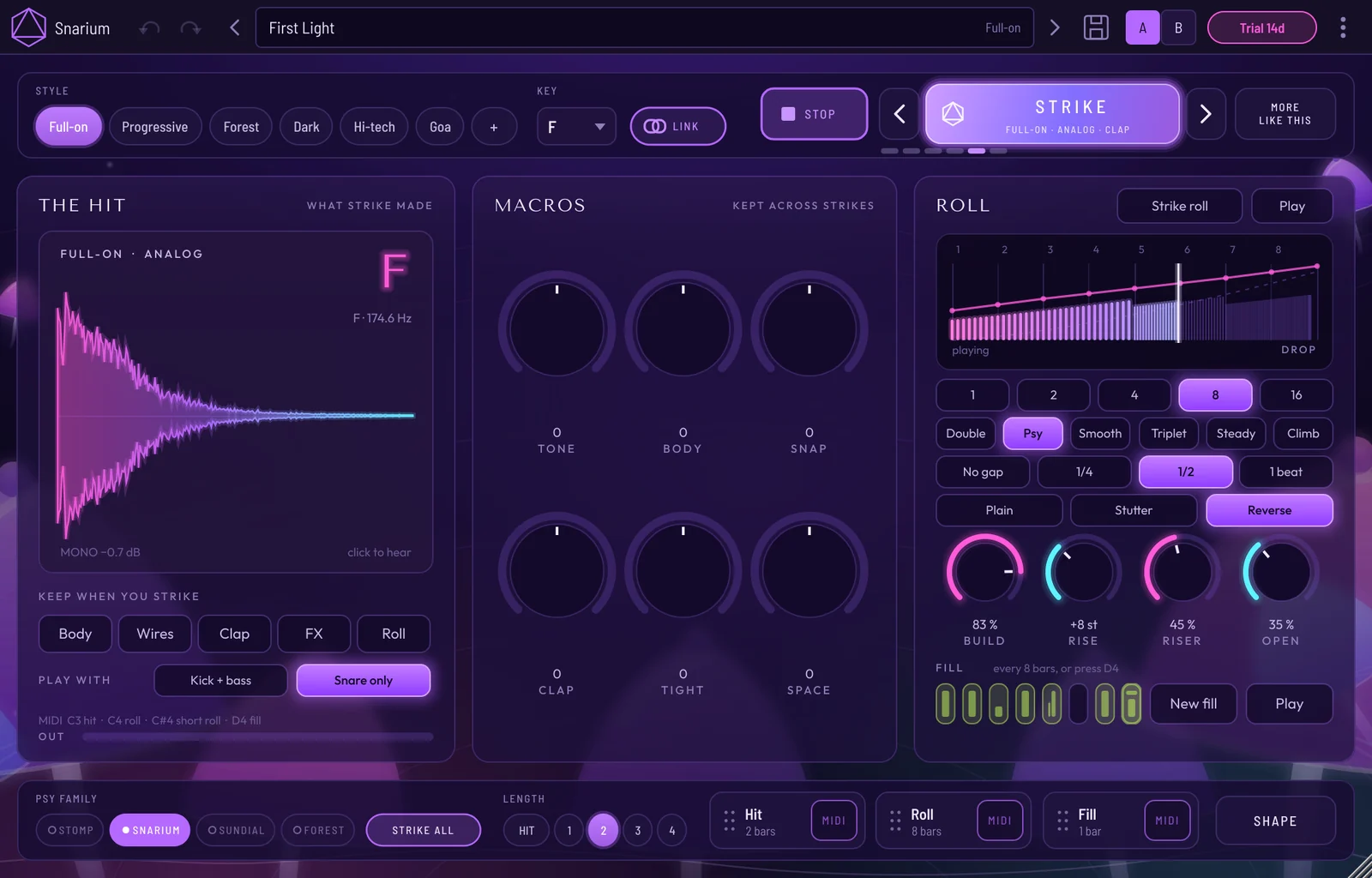
Press STRIKE for a finished snare in your style, tuned to your key, with a matching roll and fill. Press again for another. Every strike lands at the same loudness.
Coming soon
Create a free account and tick the news box: we'll write the day it opens.
Key features
- The roll into the drop: 1 to 16 bars, six curves, a gap before the drop
- STRIKE: a finished snare, roll and fill in one click, all at the same loudness
- Tuned to the track's key, played chromatically from C3
- 12 styles: Full-on, Progressive, Forest, Dark, Hi-tech, Goa, Techno, House, Breaks, Hip-hop, Trap, Acoustic
- Six moves on any sound: Tone, Body, Snap, Clap, Tight, Space
- Drag out the hit, roll or fill as bar-exact audio or as MIDI
What is Snarium?
Snarium is an undefined from Sacred Audio, coming soon for Mac and Windows (VST3, AU and Standalone). Press STRIKE for a finished snare in your style, tuned to your key, with a matching roll and fill. Press again for another. Every strike lands at the same loudness.
A psy track needs one snare that sits, and one roll that lifts the room into the drop. Snarium makes both together, so they always match.
Pick a style, from Full-on, Forest and Goa to Techno and Trap, and press STRIKE. You get a snare tuned to your key, a roll from 1 to 16 bars and an 8-step fill. Keep the parts you like and strike again, or drag the hit, the roll or the fill straight into your arrangement.
The roll into the drop
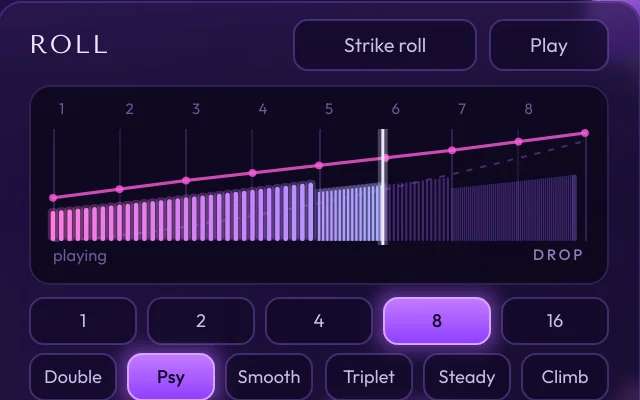
C4 plays the roll, latched, so one press plays all of it. Choose 1, 2, 4, 8 or 16 bars, a curve (Double, Psy, Smooth, Triplet, Steady or Climb) and a gap of up to one beat. Build raises pitch, low cut, space and decay together; Rise sets how far the pitch climbs.
Strike, keep, strike again
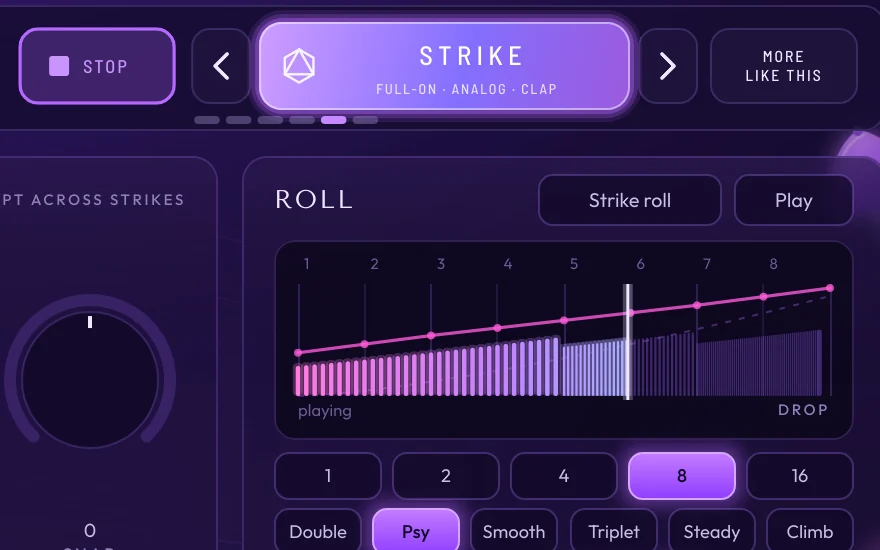
STRIKE makes a new snare in the style you picked. Back, More like this and Next move through your strikes. Keep holds the Body, Wires, Clap, FX or Roll while the rest changes.
In your key
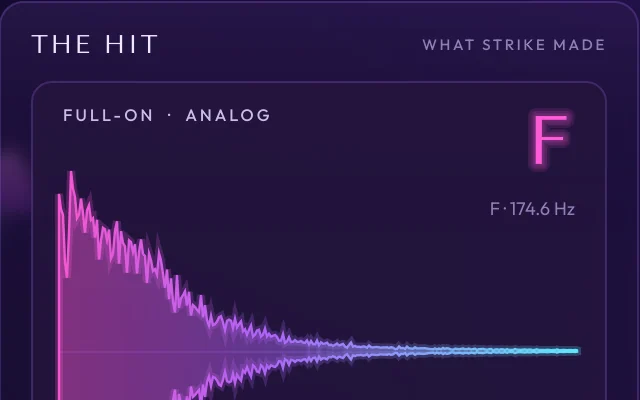
C3 plays one hit at the key root and other notes play it chromatically, two octaves each way. D4 plays the 8-step fill, with ghost notes, flams and accents you set per step. The key, your output level and humanize stay when you change presets.
Six moves on top
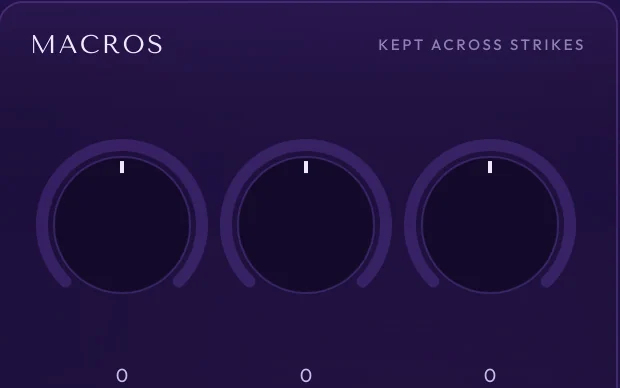
Tone, Body, Snap, Clap, Tight and Space work on top of any strike and stay when you strike again. Shape the sound first, then strike until the rest is right.
Every control behind it
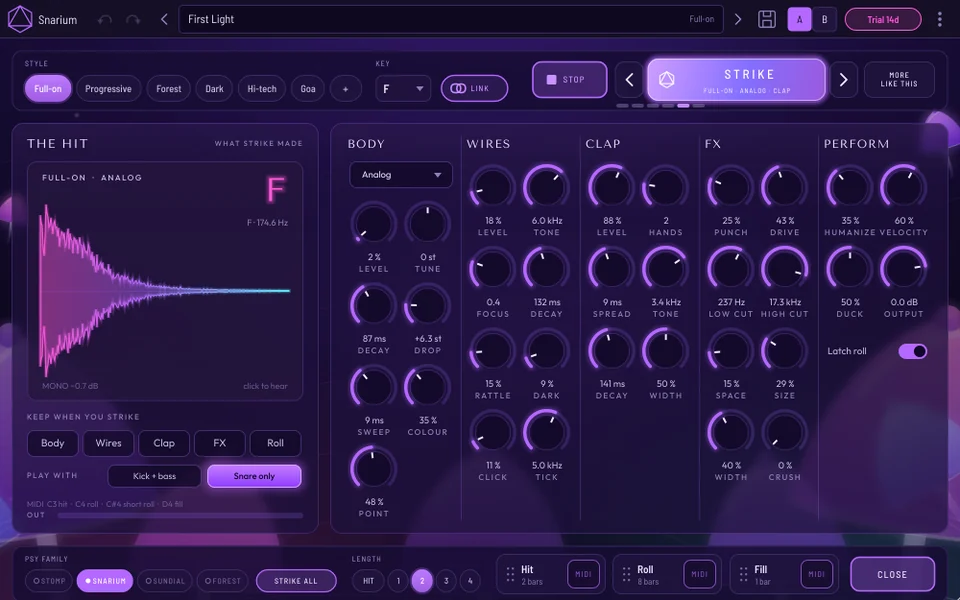
SHAPE opens the whole voice. The body is Analog (two tuned partials), Acoustic (eight membrane modes and a strike point), FM, Rim or 808. Then wires with rattle at the body's pitch, a clap of one to six hands, a click, punch, drive, low and high cut, space and width.
Drag it into the set
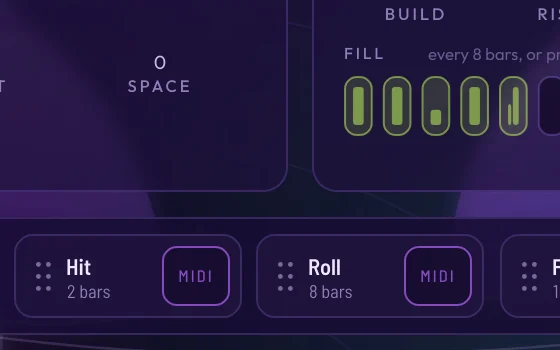
Drag the Hit, the Roll or the Fill tile and you get audio at the project's tempo and sample rate. Rolls are exactly their length in bars and start on the first sample, so nothing gets stretched. Or drag the MIDI pill and Snarium plays it live.
In the studio
Put Snarium on its own track, set the key, pick Full-on and strike until the snare sits with your kick. Lock the Body and strike again for a new clap or new wires on the same snare. For the drop, hold C4 or drag out an 8-bar Psy roll with Build up and a 1/2-beat gap: it lands exactly on the bar line. Every drag is a new file, so clips already in your set never change.
How it's built
The modelling, the research and the choices behind Snarium.
Is it a sample player?
No. Every hit is synthesised: a tuned body (two analog partials, eight acoustic membrane modes or FM), a band of filtered noise for the wires, a clap of several short bursts, and a click. STRIKE sets all of these at once inside the style's range, then levels the result, so every strike lands at the same loudness.
How do the rolls stay on the grid?
A roll is exactly its length in bars and a fill exactly one bar, with the first hit on sample 0. Every build exports 52 rolls at three sample rates and four tempos and checks that each hit lands on its grid sample, and that the exported roll matches the live roll sample for sample. The WAV also carries its tempo, so Ableton reads it right.
How is it tested?
Every build plays every factory preset and 80 strikes and checks level and stability, Back and Keep, MIDI timing, the hit count of rolls and fills, key tuning and worst-case CPU.
Details
| Category | Instruments: Snare Instrument |
|---|---|
| Formats | VST3, AU (Mac), Standalone |
| Type | Instrument (snare, clap and roll) |
| Output | Stereo |
| MIDI | C3 hit (chromatic, ±2 octaves), C4 roll, D4 fill |
| Styles | 12 |
| Factory presets | 36, three per style |
| macOS | macOS 11 or later, Apple Silicon and Intel |
| Windows | Windows 10 or 11, 64-bit |
Questions about Snarium
What is Snarium?
Snarium is an undefined from Sacred Audio, coming soon for Mac and Windows (VST3, AU and Standalone). Press STRIKE for a finished snare in your style, tuned to your key, with a matching roll and fill. Press again for another. Every strike lands at the same loudness.
When is Snarium released?
Snarium is in development. Create a free account and tick the news box, and we'll e-mail you the day it opens, with a free trial.
Will Snarium run on Windows?
Yes. It will be available for macOS 11 or later (Apple Silicon and Intel) and for Windows 10 or 11 (64-bit).